Remote Talent / Invoicing
Invoicing
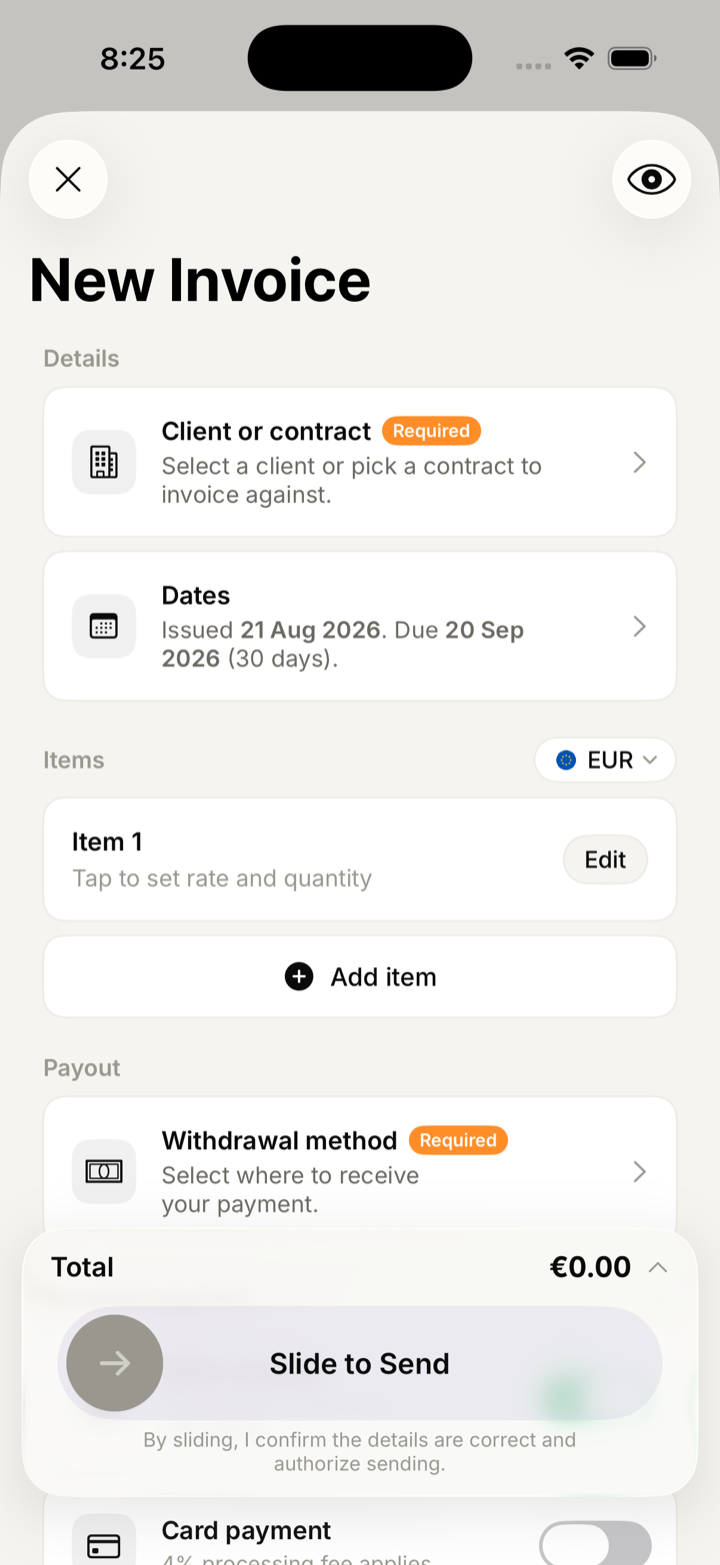
A proper invoice, in about a minute.
Pick a client or pull the terms from a signed contract, set the line items, and slide to send. 53 currencies, EU reverse-charge handled, and a PDF your client's accountant will accept.

The flow
Open the app, send an invoice, close the app.
Most of an invoice is information you have already given us once — the client, the rate, the currency, where the money should go. So the app fills it in and leaves you the part that changes.
Pick a client or a contract
Choosing a signed contract pulls its rate, currency and billing frequency straight onto the invoice.
Dates are already right
Issue date is today, due date follows your terms. Change either if you need to.
Add the line items
Description, quantity and rate, or a fixed amount. Totals and tax update as you type.
Slide to send
A deliberate gesture, not a button you can hit by accident. The client gets a PDF; you get a tracked invoice.
Cross-border
Multi-currency and EU VAT, done properly.
Billing across borders is where most invoicing tools quietly get it wrong — the wrong currency on the receipt, or missing reverse-charge wording that makes the invoice unusable for your client's accountant.
53 currencies, 79 countries
The invoice keeps the currency you billed in. Your reports convert at the rate on the day and say so, rather than silently mixing currencies.
Reverse charge, worded correctly
Cross-border EU B2B invoices carry the reverse-charge statement automatically, so VAT is accounted for by your client rather than charged by you.
VAT numbers verified
Client VAT numbers are checked before they go onto a document — a wrong number is the usual reason an invoice comes back.
Your entity, on every document
Your legal name, address and tax ID appear on the invoice, the receipt and the contract, in the same place every time.
Status
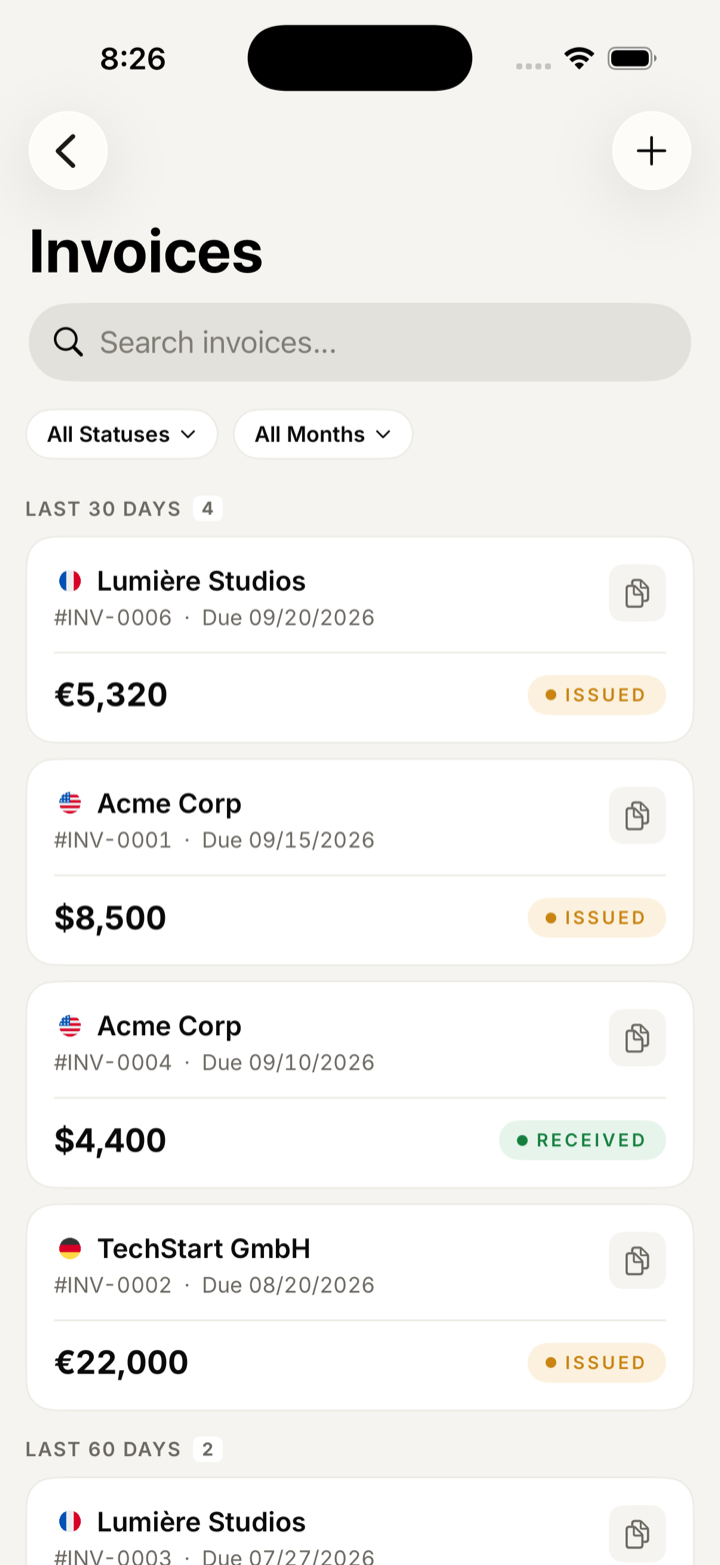
Five states, and none of them are ambiguous.
| State | What it means |
|---|---|
| Draft | Written but not sent. Costs nothing, edit freely. |
| Issued | With the client, waiting for payment, not yet late. |
| Payment received | Your client's money has landed with us and the flat fee has been taken. |
| Payment sent | Paid out to the withdrawal method attached to this invoice. |
| Overdue | Past the due date. Surfaced on the home screen with the client and the days late. |
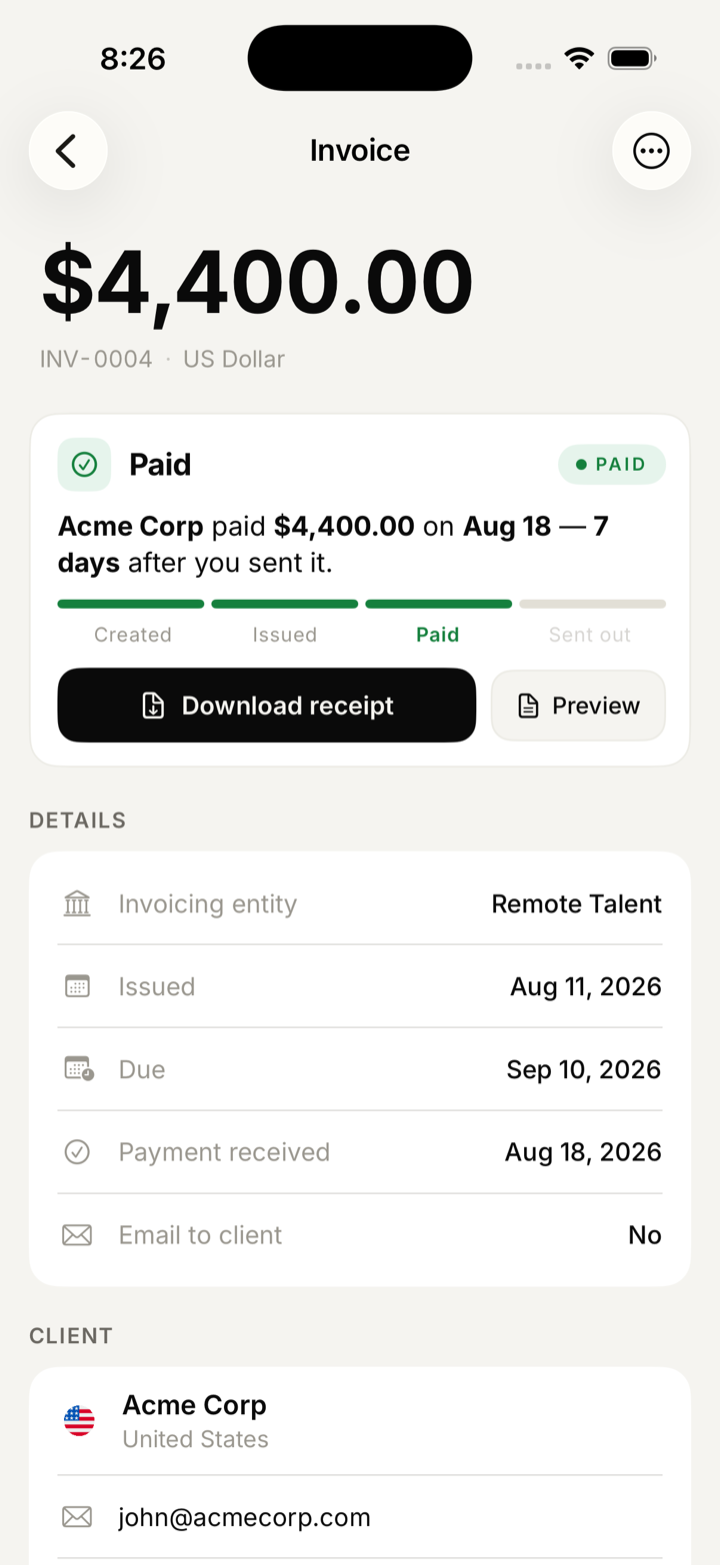
Documents you can actually file.
A PDF invoice built to a document spec
Issuer and recipient blocks, document number, dates, line items, totals, status, payment instructions and a legal footer. Nothing decorative.
A matching payment receipt
Generated when the money arrives, referencing the invoice it settles.
A transfer receipt
For the payout leg — what left, when, and to which method.
Keep reading
The rest of it.
Independent.
Not alone.
Invoicing, contracts, payouts and visa evidence in one place — on the device you already carry.